Why Do Some Appliances Feel Easier to Use Than Others?
Oct 28, 2026Have you ever used an appliance that seemed complicated even though it only had a few functions? And on the other hand, have you noticed how some products almost seem to “explain themselves” the first time you use them?
The difference is often not the number of features. It is how naturally the product interacts with the person using it.
This becomes especially noticeable with appliances used several times a day. A countertop cold water dispenser, for example, may have a relatively simple job: filter water, chill it, and dispense it. Yet small details such as the number of buttons, water flow, visual feedback, cup clearance, and operating noise can significantly affect how easy the appliance feels in everyday life.
So what makes an appliance feel intuitive? And how can thoughtful interaction design make a countertop water dispenser easier to use?
Ease of Use Starts With Fewer Decisions
When people think about an “easy-to-use” appliance, they often think about simple controls. But simplicity is not just about having fewer buttons. It is about reducing the number of decisions a user needs to make.
Imagine using a water dispenser in the morning. You place your cup under the outlet, press a button, and wait for the water. Ideally, there is no need to stop and ask:
- Which mode should I choose?
- Do I need to change a temperature setting?
- Is the filter still working properly?
- How long will it take to fill my cup?
A well-designed household countertop water purifier should make these interactions feel almost automatic.
This is where interaction design becomes important. The best controls are not necessarily the ones with the most functions. They are the ones that make the intended action obvious.
Why Two Buttons Can Be Enough
For a countertop water purifier, the main user interaction is relatively straightforward: dispense water.
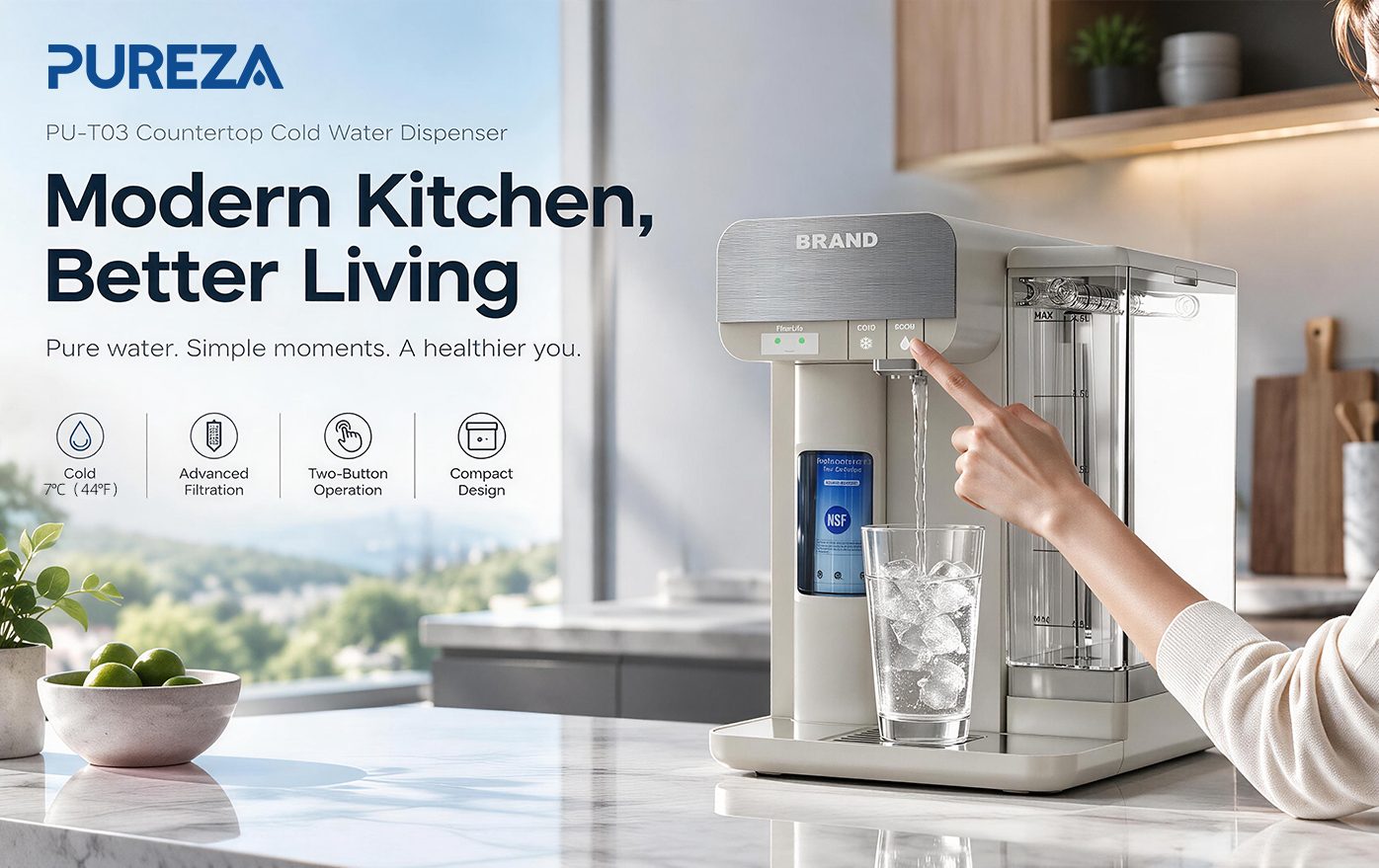
That is why PU-T03 uses a two-button control layout rather than filling the interface with complicated controls. The goal is to keep everyday operation direct and easy to understand.
With fewer controls, users can quickly understand what to press without navigating through multiple settings. This can be particularly useful in shared environments such as kitchens, offices, meeting rooms, or family spaces, where different people may use the same water dispenser throughout the day.
The benefit is subtle. A person may not consciously think, “This appliance has good interaction design.” They simply press the button and get the water they need.
That is often what good product interaction looks like.
What Happens After You Press the Button Matters Too
A simple control is only one part of the experience. The response of the appliance matters just as much.
For example, imagine pressing a button on a water dispenser and then waiting a long time for enough water to fill a glass. The control itself may be simple, but the overall experience can still feel slow.
PU-T03 is designed with a water flow rate of 1L/min or higher, helping maintain a more practical rhythm for everyday dispensing.
For a user, this means the experience is not simply:
Press → wait → wait → fill the cup.
Instead, the interaction can feel more continuous:
Place the cup → press → dispense → drink.
This is an important distinction when evaluating a countertop cold water dispenser. Specifications such as flow rate may look technical on a product sheet, but they directly influence how the appliance feels during repeated daily use.
Small Details Can Make a Big Difference
Good interaction design does not stop at buttons. Many of the features people appreciate in an appliance are details they may never consciously notice.
For example, PU-T03 countertop cold water dispenser provides a cup clearance of approximately 235 mm, giving users more flexibility when choosing everyday cups and bottles. A dispenser that accommodates different drinking vessels can reduce the need to adjust or reposition them every time.
The cooling experience is another part of the interaction. PU-T03 is designed to provide chilled water at around 7°C, giving users access to cold drinking water without making the dispensing process complicated.
Operating noise also matters. At around 38 dBA under the product's stated conditions, the dispenser is designed to fit more naturally into everyday indoor environments. For an appliance used in a kitchen or office, a quieter operating experience can be just as important as the headline functions.
These details may seem unrelated at first, but together they shape the overall experience.
|
Everyday Detail |
PU-T03 Design |
Why It Matters |
|
Controls |
2-button operation |
Makes common actions easier to understand |
|
Water flow |
≥1L/min |
Helps reduce unnecessary waiting |
|
Chilled water |
Around 7°C |
Provides ready-to-drink chilled water |
|
Cup clearance |
Approx. 235 mm |
Accommodates a wider range of cups |
|
Noise |
Around 38 dBA |
Supports a more comfortable indoor experience |
|
Raw water tank |
4.5 L |
Suitable for convenient countertop use |
|
Chilled water reservoir |
1.2 L |
Supports chilled-water dispensing |
An Appliance Should Also Communicate With You
There is another part of interaction design that is easy to overlook: feedback.
A user should not always have to remember when an appliance needs attention. This is particularly relevant to a water filtration dispenser because filter replacement is part of normal ownership.
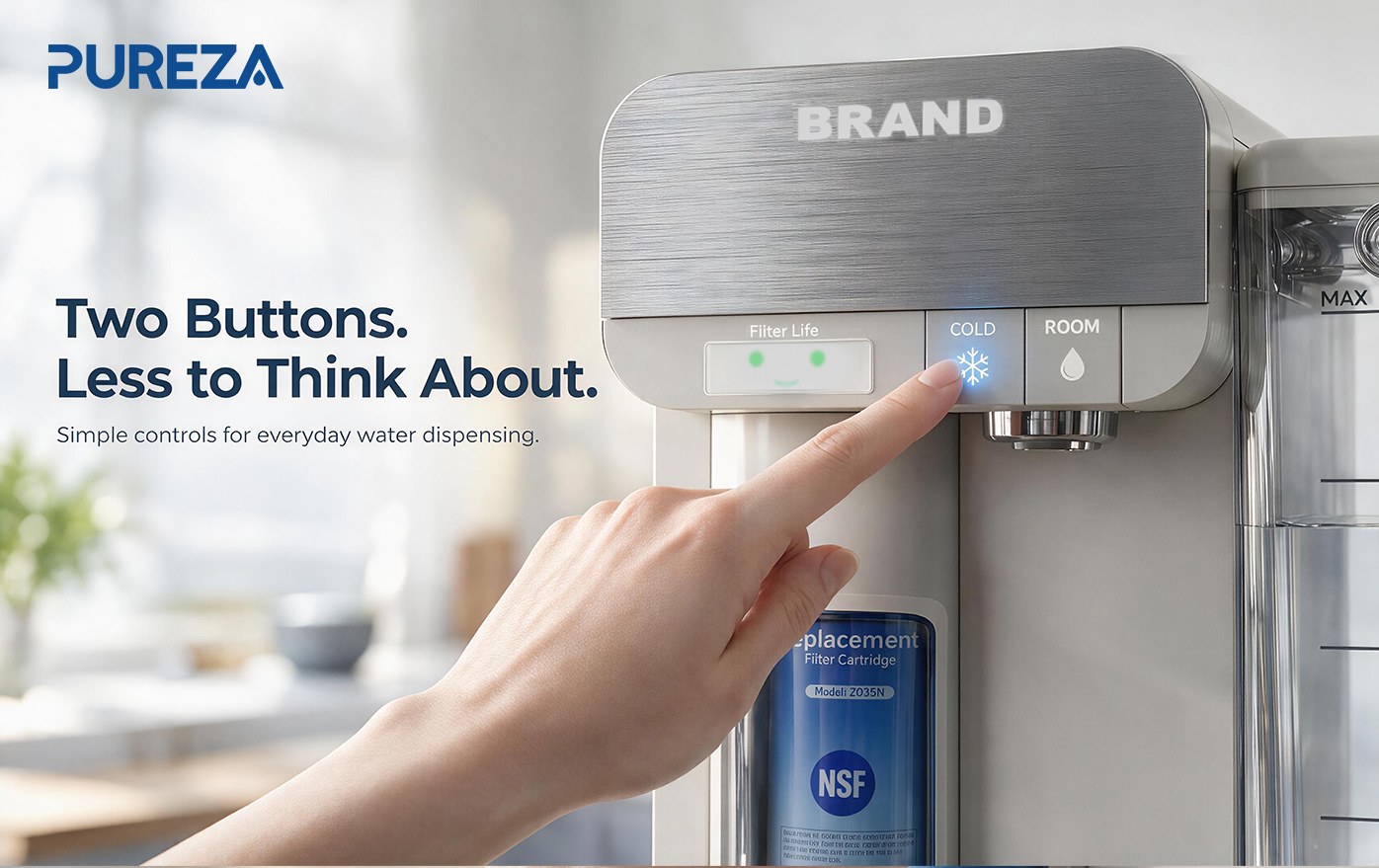
PU-T03 uses visual filter-life indicators to communicate the filter's status. Instead of relying entirely on memory, users can look at the indicator and understand the general condition at a glance:
Green smile: normal filter status
Yellow flat face: filter status approaching attention
Orange crying face: replacement reminder
The idea is simple: the appliance provides information when the user needs it.
This type of visual feedback can make a countertop water filtration system feel more approachable because maintenance information becomes part of the normal user experience rather than something hidden inside a manual.
The Best Interaction Design Reduces What You Have to Think About
There is a common misconception that a more advanced appliance needs more settings and more controls.
In reality, a product can feel more sophisticated by making the user's experience simpler.
For a countertop cold water dispenser, users generally want to accomplish a few things: get filtered water, enjoy it chilled, fill their cup without excessive waiting, and know when the filter needs attention.
They do not necessarily want to spend time managing the appliance.
That is why the combination of simple controls, practical water flow, visual feedback, suitable cup clearance, and chilled-water performance can be more meaningful than simply adding more functions.
The goal is not to give users more things to control. It is to give them fewer things to think about.
PU-T03: Designed Around Everyday Interaction
PU-T03 brings these ideas together in a compact countertop format.
Its two-button interface keeps operation straightforward, while a flow rate of 1L/min or higher supports a smoother dispensing experience. With chilled water around 7°C, a 4.5 L feed water tank, and a 1.2 L chilled water reservoir, the system is designed around the practical rhythm of everyday drinking.
The visual filter indicators add another layer of communication, while the approximately 235 mm cup clearance gives users flexibility with different drinking vessels. At around 38 dBA, its operating noise is also designed with indoor use in mind.
None of these features alone defines a good user experience.
It is the way they work together.
When Good Design Feels Almost Invisible
The easiest appliances are not necessarily the ones with the most features. They are often the ones that make everyday actions feel natural.
A well-designed countertop cold water dispenser does not need users to think about every step. The controls should make sense. The water should dispense at a practical speed. The appliance should provide clear feedback when maintenance is needed. And the small physical details should support the way people actually use it.
That is the philosophy behind PU-T03.
Press. Fill. Drink. Check the indicator when needed.
When an appliance can make those everyday actions feel effortless, good interaction design is doing its job—even when the user never stops to notice it.